
- Agentic AI
- AI agents
- Zoho
- CRM
- Creator
- Customer Zero
How to add an AI agent to your Zoho setup (or to the CRM you already have)
Yes, an AI agent can work inside the CRM you already run: Zoho, Salesforce, HubSpot. Djtal explains how it works, where built-in AI stops and where to begin.
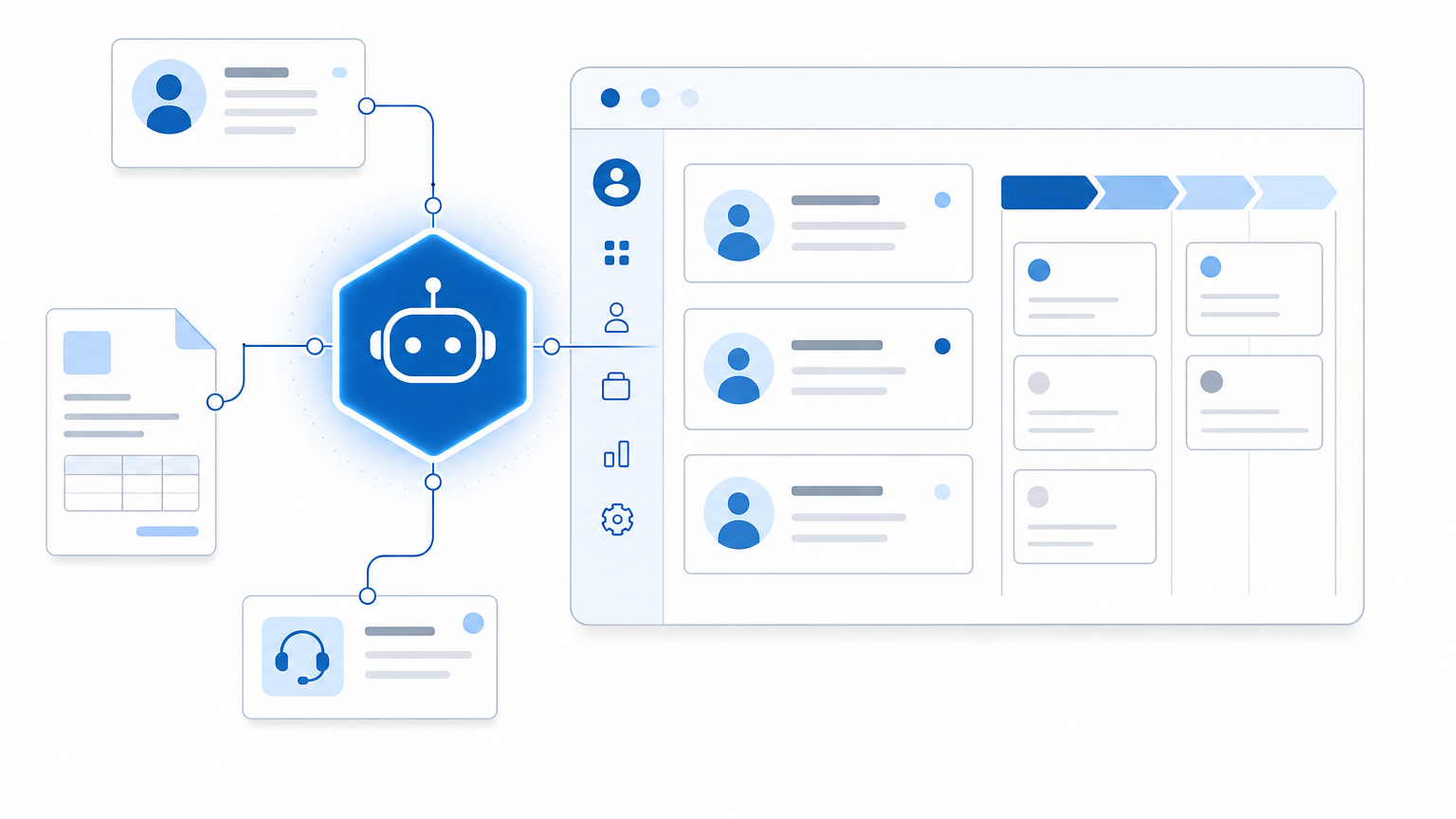
Yes, an AI agent can work inside the CRM you already have (Zoho, Salesforce, HubSpot or Microsoft Dynamics). Djtal connects it with no migration, and your teams keep working the way they do today. Your CRM already holds what an agent needs: your contacts, your deals, your history, your correspondence. This article looks at what the agent actually does there, where built-in features such as Zia or Copilot stop, and which case to start with.
The agent works where your data already lives
We connect the agent to the systems you already run; a move to an ‘AI-native’ platform is unnecessary. It reads your records, enriches them and acts in the same system as your team, in step with their working day. This is less spectacular than switching to a new system. The benefit comes without a change-management programme, because the agent works on data that is already in place.
What an agent does in your CRM
An agent fills a role in your CRM. A few examples from real deployments:
- It enriches and cleans up. It completes contact and company records, removes duplicates and updates statuses, so your database stays clean and up to date, week after week.
- It qualifies incoming enquiries. It reads a request, identifies the intent, links it to the right contact and prepares a brief for your salesperson.
- It prepares you for meetings. Before a call, it pulls the history, the correspondence and the outstanding points into a briefing pack that is ready to use.
- It revives dormant deals. It spots the ones that have stalled and flags them with their context, so sales stop slipping through the cracks.
Zia, Copilot and built-in agents: how far do they go?
Modern CRMs already ship with AI. Zoho offers Zia: lead scoring, win probability, call transcription, natural-language queries, and even agents that qualify leads or follow them up within limits you set. Salesforce has Einstein; Microsoft has Copilot. These built-in features are real and useful. They are worth switching on straight away.
But they stop where your own way of working begins. A built-in agent does the generic work well. It does not know your particular process, the one that runs across your CRM, your email, your line-of-business tool and your accounting, with your own rules. That is where our work starts: building the agent that runs your workflow on your data, beyond what the standard feature can do.
How we connect an AI agent to your CRM
We use the right entry points into your systems.
- Zoho Creator (low-code) for business applications and automations that sit on top of the CRM.
- Zoho Catalyst (pro-code, AI-native) when the agent needs custom logic and more computing power: we have run it in production since 2021 and were among the first in Switzerland to do so.
- Deluge and APIs to link the CRM cleanly to your other tools.
The agent connects to your live data, within a scope defined in writing. With a CRM other than Zoho, the same approach applies through its APIs.
The non-negotiable rule: oversight
An agent connected to your CRM stays under control. Every action is logged and every sensitive output goes through human approval. Autonomy is raised step by step. This oversight is what makes the project last. (Why so many agentic AI projects fail, and how to improve your odds.)
What we have already built
At FRC, we migrated and cleaned up nearly 100,000 contacts and built several Creator and Catalyst applications, with very fast search for member services. At OLF: a B2B portal linked to the CRM and AI-assisted first-pass analysis of tickets. At Econox: lifecycle tracking for precision probes exported worldwide. Each time, the AI was built into the systems the client already ran.
The first agent to add to your CRM
The best candidates are tasks that already run through your CRM: record enrichment, qualification of incoming enquiries, meeting preparation. Start with just one: the one whose result is measured in hours saved each week. Once the first one has proved its worth, the others follow at their own pace.
For the wider picture, see our page on agentic AI. Everything we do across the Zoho ecosystem is on our Zoho page.
Frequently asked questions
Does an AI agent replace Zia in Zoho CRM?
No. Zia covers the generic functions (scoring, call transcription, natural-language queries) and can be switched on in a few clicks. The custom agent Djtal builds takes over where your process becomes specific to you: a flow that runs across the CRM, your email, your line-of-business tool and your accounting, with your rules. You can use both.
How long does it take to add your first AI agent to a CRM?
Djtal scopes the first agent in a few days and puts it into service in stages: a written role, a connection to your existing data, human approval on sensitive outputs, then the autonomy dial is turned up as the logs are reviewed. The timeline depends mostly on how clean your data is and how many exceptions need mapping.
Do I need to migrate to Zoho to have an AI agent in my CRM?
No. Djtal connects the agent to the CRM you have, whether Zoho, Salesforce, HubSpot or Microsoft Dynamics, through its APIs. A migration is a separate decision, made for reasons other than AI.
Thirty minutes is enough to spot which agent your CRM needs first. Book a call and we will go through your processes together.
A topic worth exploring for your business?
Let's spend 30 minutes on your context and find where AI can help your business.
Speak to one of our experts